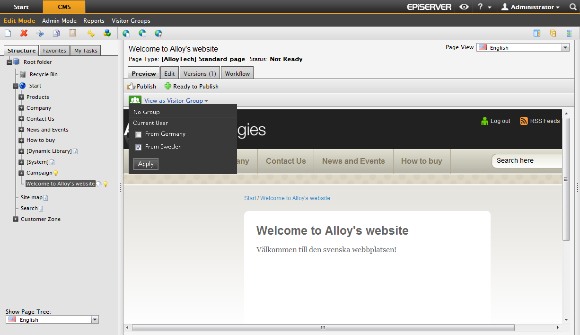
EPiServer CMS has a feature called Personalization, which is a way to adapt the content on your website to particular groups of your audience. As an editor you can design information on your website to suit a specific visitor group.
To target your content you simply select any content on a page, an image, a piece of text or dynamic content, and select which groups that are to be allowed to see it. Note that visitor groups will only have read access.
The possible usages for this are endless. You can show different content on the front page to returning versus new visitors. Target easy links to your products for potential customers, or, present the address of the sales office closest to the visitors from one country. See "Creating Personalized Content".
You can cut, copy and paste personalized content boxes in the Editor area, just as you can do with any other objects.
Create personalized content in the following steps:
Last updated: 2011-03-25 | Copyright © EPiServer AB